How can I unblock calls via the Microsoft Teams Client?
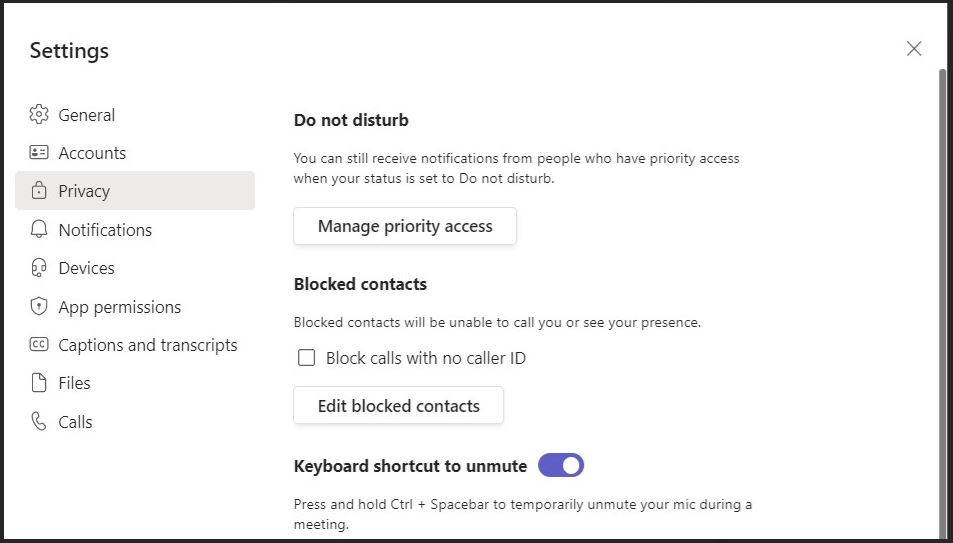
1. Go to your teams Settings > Privacy.
2. Click on �Edit blocked contacts�.
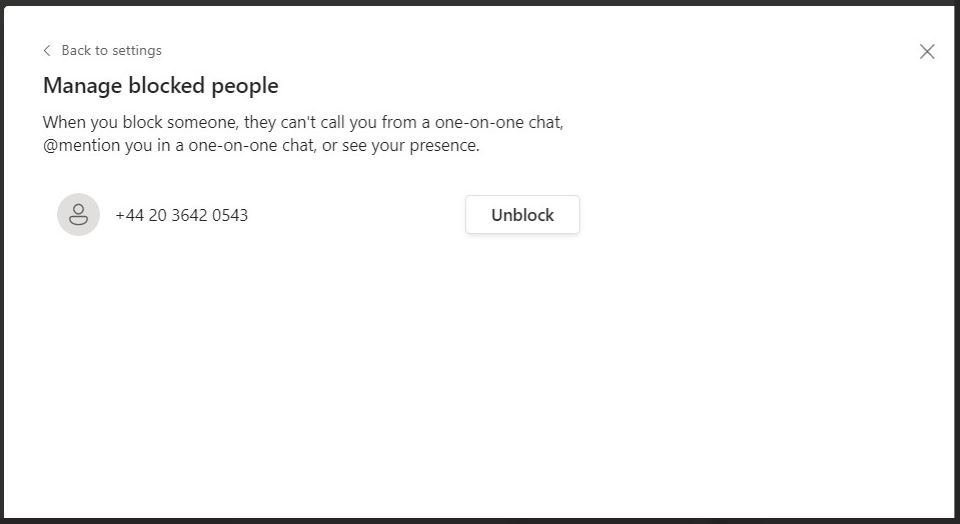
3. Here you will see a list of people you have blocked and can use the �Unblock� button to start receiving calls again.
Created: Sep 21, 2022 - 5:8am Updated: Mar 22, 2023 - 8:53am Author: UIT Support Center Article: 3394
Was this article helpful?
Thank you for your feedback. Click Here to submit again.