How can I block unwanted calls via the Microsoft Teams Client?
Note: You can only block a phone number and not a Teams contact.
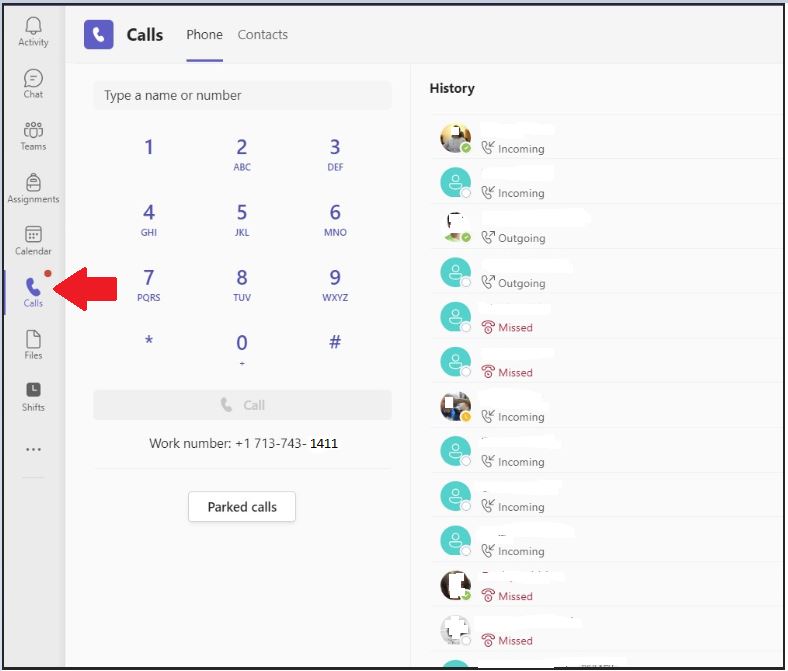
1. Open the Microsoft Teams Client.
2. On the left side, click Calls > History.
3. Find the call entry for the number you'd like to block.
4. On the right side, near the Date, locate the three dots. Click the three dots then select Block.
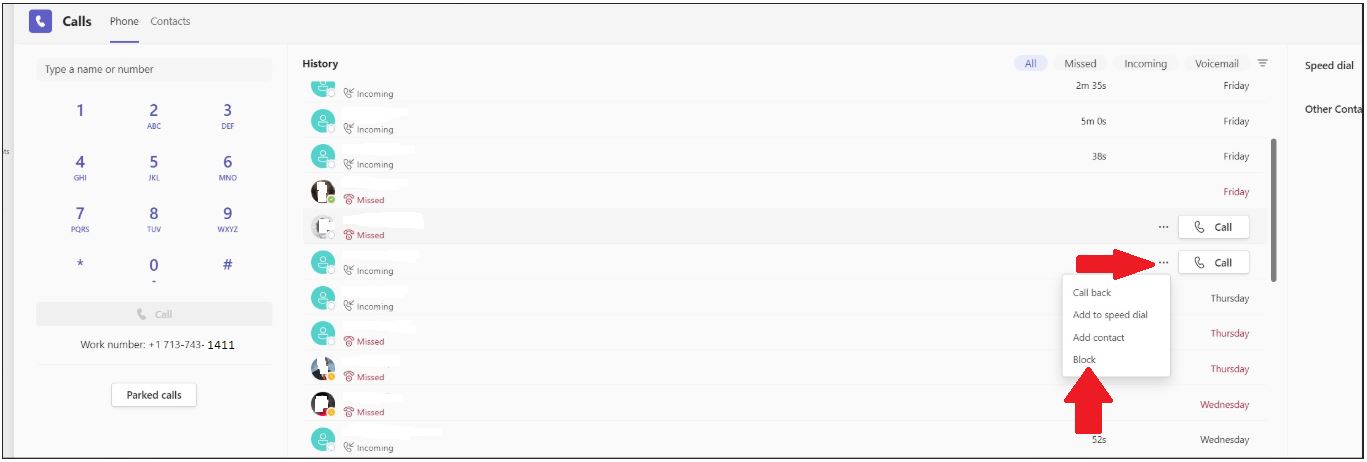
**** Note: You can only block callers if they are in your call history.
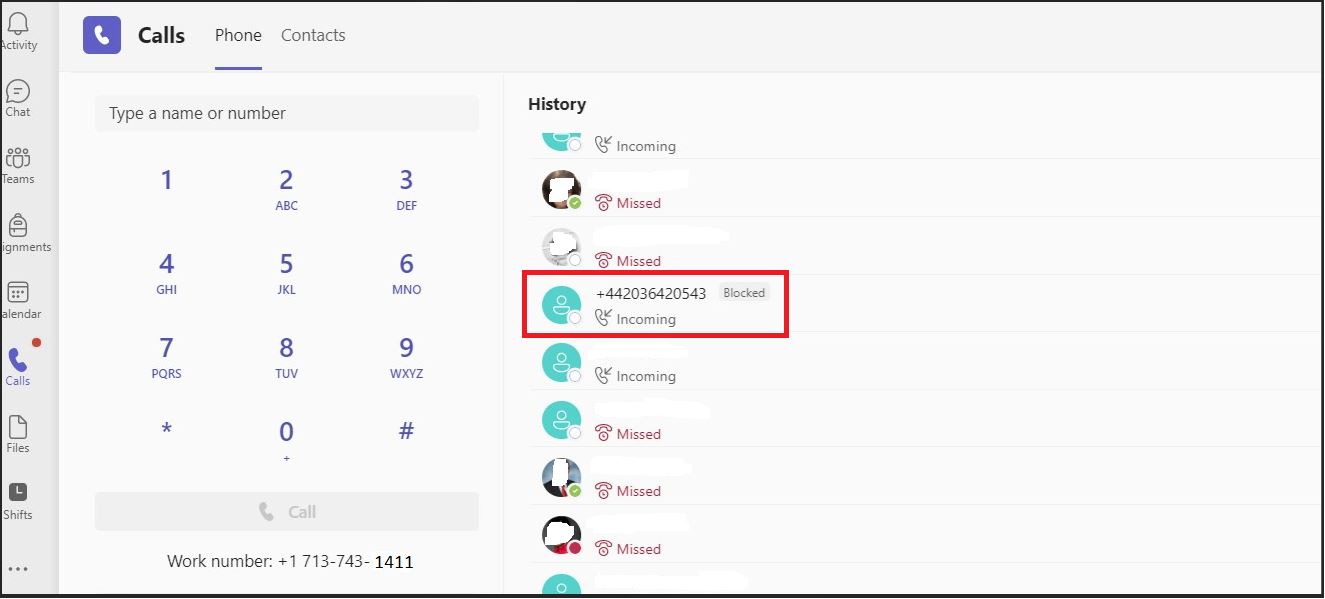
5. Once blocked, you will see a box next to the number saying �Blocked�.
Created: Sep 21, 2022 - 5:8am Updated: Mar 23, 2023 - 4:5am Author: UIT Support Center Article: 3393
Was this article helpful?
Thank you for your feedback. Click Here to submit again.